Serial & Story
A record of what you own, made before you need it — encrypted on the phone with AES-256 before anything is stored, and exported for an insurer or a police report.
The app itself
Screens from versions 1.0 and 1.0.2.
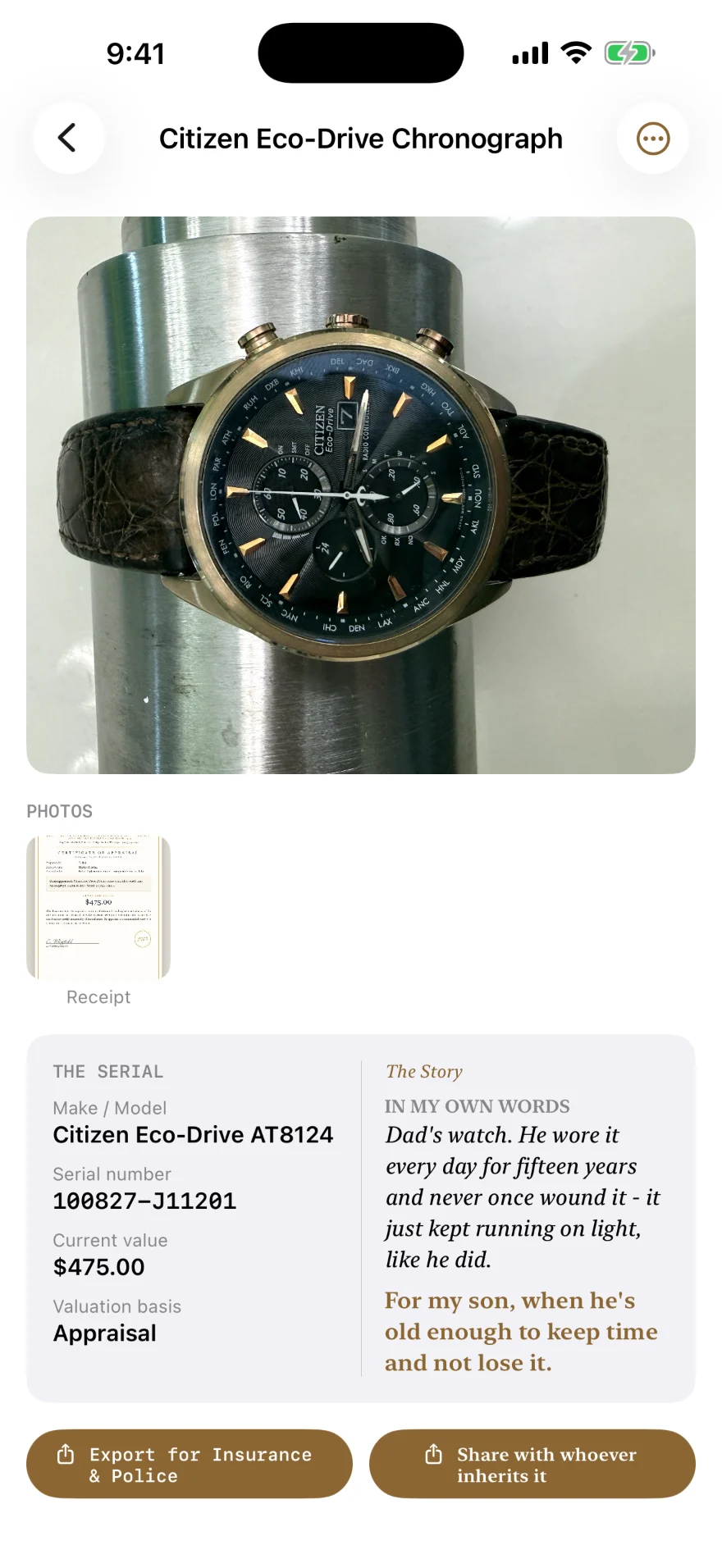
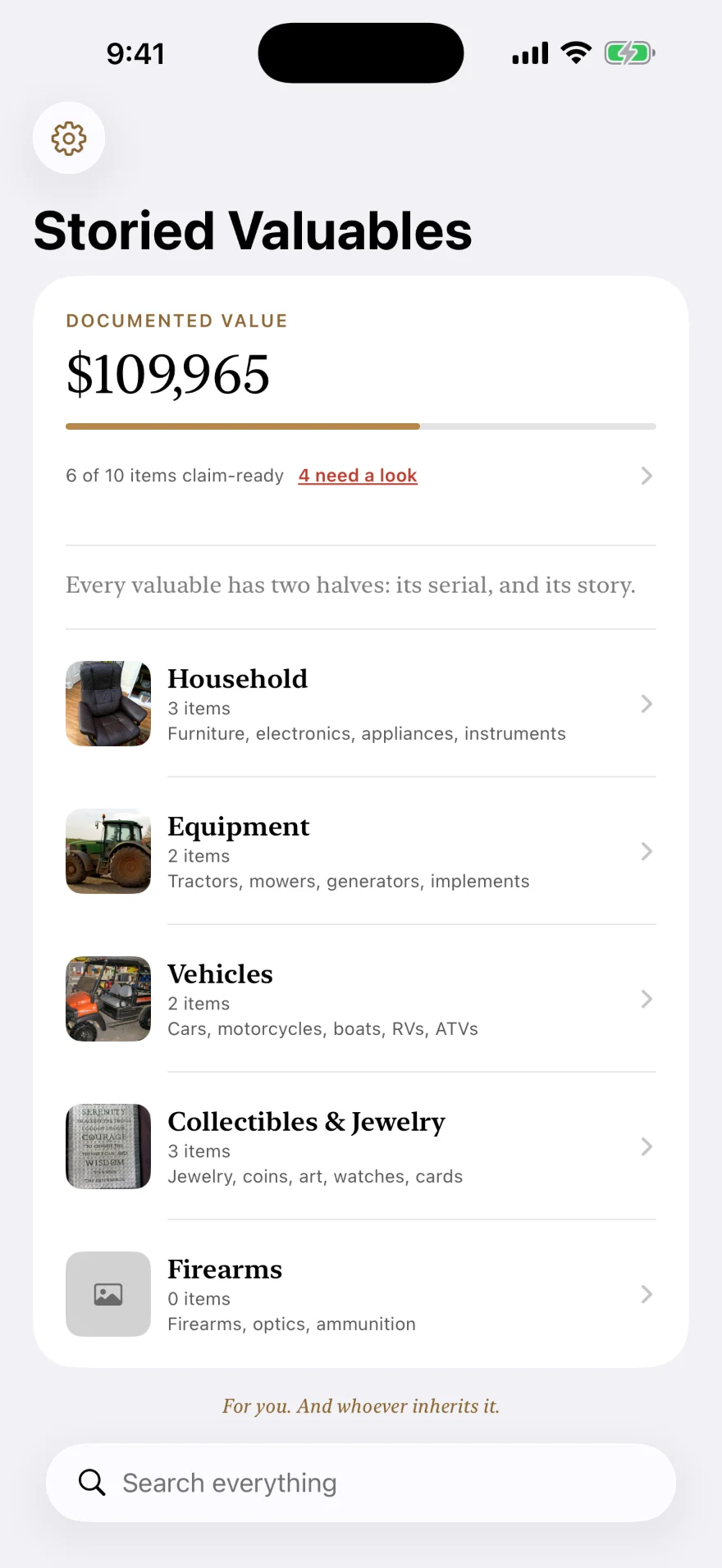

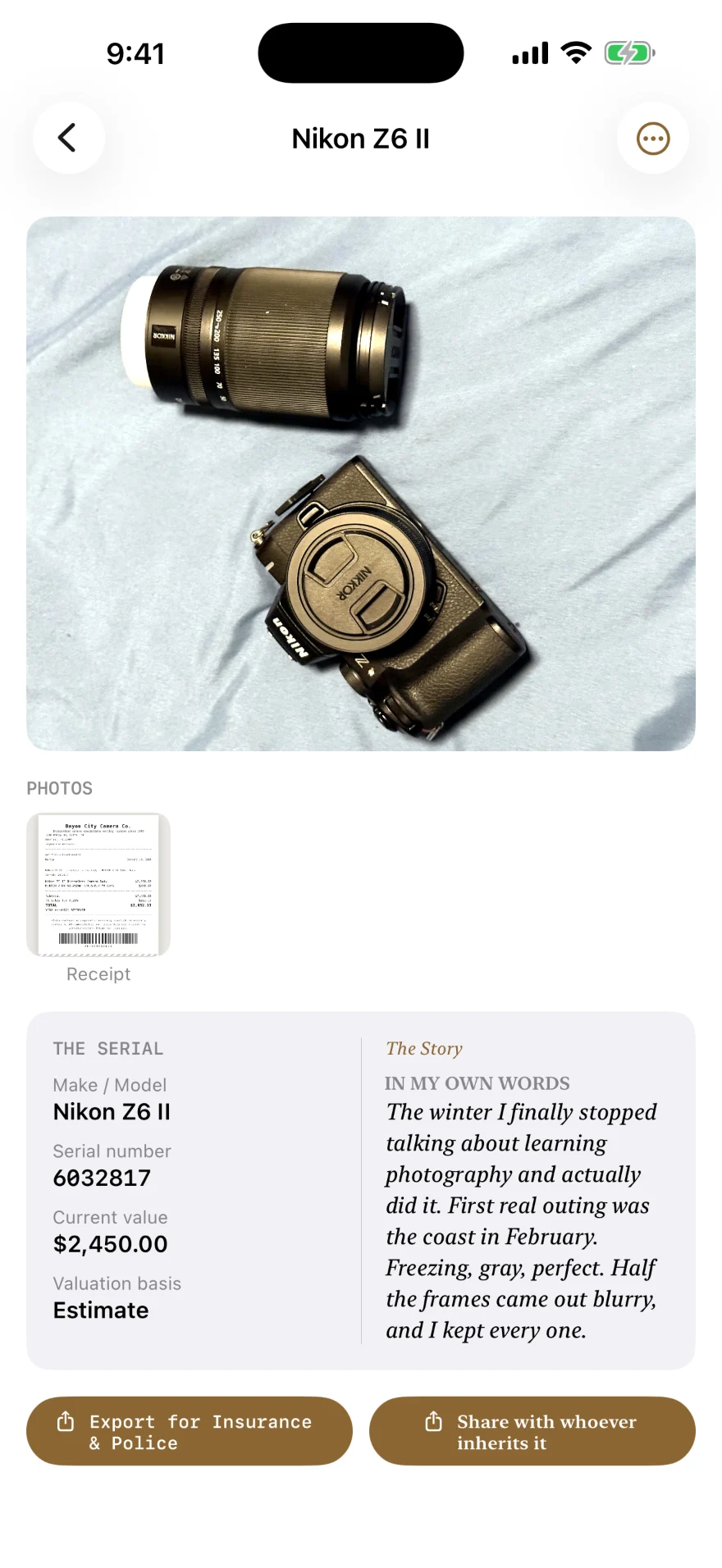
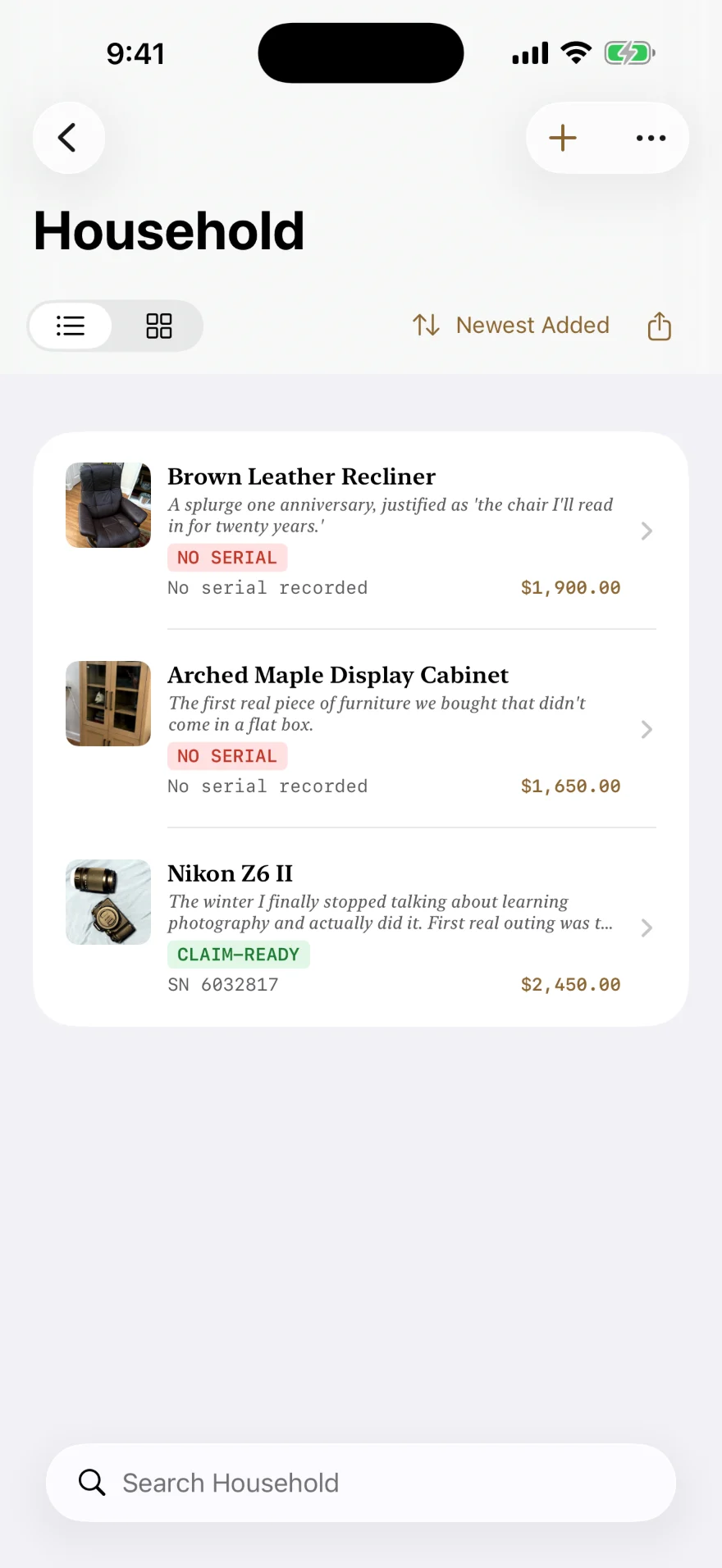
Encrypted before it is written down, not after
Every sensitive field is encrypted on the phone with AES-256-GCM before it reaches storage at all — descriptions, serial numbers, values, dates and photographs. What gets stored is ciphertext. The studio runs no server for the app and never receives your data or your key. With iCloud sync on, Apple’s servers hold the encrypted copy, and what Apple is able to open depends on your iCloud settings. The Privacy Policy sets out both cases.
What it does
Records the facts that help
After a theft or a fire, a claim turns on specifics: the serial number, what was paid, and photographs taken while the thing still existed. Each entry holds those, with the receipt, distinguishing marks, and where the item was kept.
Reads the receipt for you
Photograph a receipt or a serial plate and the app reads it on the phone, offering the values it found so you can correct them rather than type them. The image is never sent anywhere to be read.
Exports a document, not a spreadsheet
One tap produces a PDF laid out for an insurance claim or a police theft report, photographs included. It also watches warranty dates and reminds you once, on the phone, before one runs out.
What it stores, and where
- Every sensitive field
- Encrypted on the phone with AES-256-GCM before it is written to storage at all. What is stored is ciphertext, not text.
- Sync
- Part of Serial & Story+, through your own private iCloud. Without a subscription, your item data stays on the one device. On any device signed in to iCloud, with or without a subscription, the app keeps a protected copy of your encryption key in your own iCloud account. The content of your items reaches iCloud already encrypted. What Apple is able to open there depends on your iCloud settings, and the Privacy Policy explains both cases.
- Accounts
- None. No sign-up, no password, no profile. The key is created on your device, and copies the app keeps in iCloud stay inside your own Apple account.
- Sharing
- Not in version 1.0.2. Sharing a bundle with another person is turned off in the shipping build, and returns in a later version. Nothing is public and nothing is discoverable.
- What the studio can see
- Nothing about your belongings. No analytics SDK ships in the app, and crash diagnostics stay on your phone.
Serial & Story is available on the App Store in the United States, Canada, the United Kingdom, Australia and New Zealand.
What it costs
- Household
- Free, with no item limit and no time limit. Adding, viewing and editing items in that bundle costs nothing, ever.
- Serial & Story+
- An optional subscription that covers adding items to the Equipment, Vehicles, Collectibles & Jewelry and Firearms bundles, encrypted iCloud sync across your own devices, Digital Legacy tools, and one combined report across bundles.
- Price and term
- $3.99 a month or $39.99 a year in the United States, auto-renewing until cancelled. Other territories are priced in local currency by Apple. Family Sharing is on.
- Billing
- Apple bills the subscription through your Apple Account; the studio never sees a card number. Cancel any time in the Settings app, under your name, then Subscriptions.
- Your own data
- Items you have already added stay viewable in every bundle, with or without a subscription. CSV export, the single-item Insurance & Police report and the story share are free in every bundle. Report Multiple Items and Export for Attorney are part of Serial & Story+.
Full details in the Terms of Service and the Privacy Policy.
Questions
What is Serial & Story?
Serial & Story is an iPhone app for recording what you own before you need to prove it — serial numbers, values, receipts and photographs — and exporting that record for an insurance claim or a police report.
Is Serial & Story on the App Store?
Yes. Serial & Story is available on the App Store in the United States, Canada, the United Kingdom, Australia and New Zealand. It is made by Anchorwright LLC, a one-person software studio in Bryan/College Station, Texas.
What does Serial & Story cost?
The Household bundle is free, with no item limit and no time limit. Serial & Story+ is an optional auto-renewing subscription — $3.99 a month or $39.99 a year in the US — that covers adding items to the Equipment, Vehicles, Collectibles & Jewelry and Firearms bundles, encrypted iCloud sync across your own devices, Digital Legacy tools, and combined reports across bundles. Apple bills it; cancel any time in the Settings app.
Is my inventory encrypted?
Yes. Every sensitive field is encrypted on the phone with AES-256-GCM before it is written to storage at all — descriptions, serial numbers, values, dates and photographs. What is stored is ciphertext, not text. A small amount of metadata (record IDs, timestamps, and each item’s bundle and type labels) is not encrypted.
Can Anchorwright see what I own?
No. Anchorwright runs no server for the app and never receives your data or your encryption key. No analytics SDK ships in the app. With iCloud sync on, Apple’s servers hold an encrypted copy, and what Apple is able to open depends on your iCloud settings. The Privacy Policy explains both cases.
Does it require an account?
No. There is no sign-up, no password and no profile. The encryption key is created on your device, and copies the app keeps in iCloud stay inside your own Apple account.
Does it read receipts automatically?
Yes, and it does so on the device. Photograph a receipt or a serial plate and the app reads it locally with Apple’s own frameworks, then offers the values for you to correct. The image is never uploaded.
Get Serial & Story
Household is free, with no item limit. Questions about how the app works get a real answer from the studio.